

Download DoNotTrackMe – privacy‑focused tracker blocker for Chrome, Firefox, Safari & Edge
Overview
DoNotTrackMe (formerly Do Not Track Plus) is a cross‑browser extension designed to put an end to invasive web‑tracking. In an era where advertisers, social networks and data brokers silently collect every click, scroll and hover, this tool offers a straightforward, free solution that restores control to the user. Once installed, the tiny green icon in your toolbar displays a live counter of how many tracking cookies a site attempts to drop.
Clicking the counter reveals a detailed list of the blocked trackers—ranging from well‑known advertising networks such as DoubleClick and ComScore to obscure social‑media pixels. If you ever need to allow a specific tracker, a single click whitelists it instantly. The extension claims to block more than 600 distinct trackers and receives regular updates to stay ahead of newly emerging scripts.
Users consistently report faster page loads, reduced bandwidth usage, and a noticeable decline in personalized ads. Because it works at the browser level, DoNotTrackMe operates independently of any operating system, making it a versatile choice for Windows, macOS, Linux, and even mobile browsers that support extensions. Whether you’re a privacy‑conscious professional, a student worried about data profiling, or simply someone who wants a cleaner, faster browsing experience, DoNotTrackMe delivers a powerful yet unobtrusive layer of protection.
Key Features & What Sets DoNotTrackMe Apart
- Block over 600 trackers: Includes advertising, analytics, social‑media and fingerprinting scripts.
- Real‑time tracker counter: The green toolbar icon shows the exact number of blocked attempts per page.
- One‑click whitelist: Instantly allow a tracker you trust without leaving the extension UI.
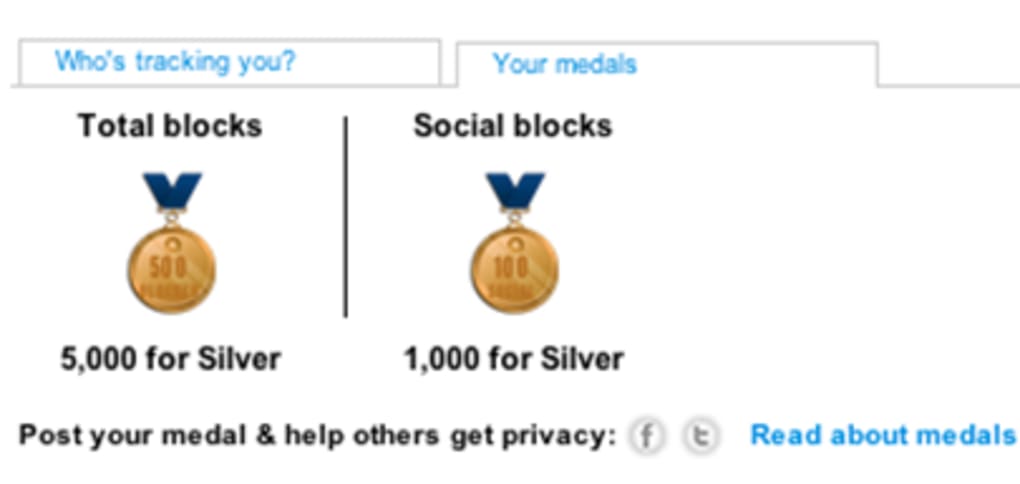
- All‑time block statistics: Track how many trackers have been blocked since installation—often thousands per day.
- Cross‑browser compatibility: Available for Chrome, Firefox, Safari, Edge/Internet Explorer and compatible with macOS, Windows and Linux.
- Automatic updates: Regular signature updates keep the block list current with the latest tracking techniques.
- Lightweight & discreet: Minimal impact on browser performance and a small, non‑intrusive UI element.
- Free and open‑source: No hidden fees, no subscription model, and community‑driven development.
Installation, Usage & Compatibility
Step‑by‑Step Installation Guide
Getting DoNotTrackMe up and running is a breeze. Follow these steps for a hassle‑free setup:
- Visit the official extension store for your browser (Chrome Web Store, Firefox Add‑ons, Safari Extensions Gallery, or Microsoft Edge Add‑ons).
- Search for “DoNotTrackMe” and click Add to Browser (or Install for Safari).
- Confirm any permission prompts—DoNotTrackMe requires access to read and change data on the websites you visit.
- Once installed, a small green icon appears in the toolbar. Click it to view the current block count and detailed tracker list.
- Adjust settings by right‑clicking the icon and selecting Options. Here you can enable/disable specific tracker categories, import custom block lists, or set a default whitelist.
How to Use the Extension Effectively
After installation, DoNotTrackMe works automatically in the background. When you land on a page, the icon updates with the number of blocked attempts. Clicking the number opens a drop‑down that categorises trackers (ads, analytics, social, etc.) and displays the domain responsible.
If a site’s functionality is broken—say a video player or login form—simply click the “Allow” button next to the offending tracker to whitelist it for that session. The extension also offers a “Protected Mode” toggle that enforces stricter blocking for privacy‑sensitive sites like banking portals or health forums. For power users, the advanced settings allow you to import custom filter lists in .txt format, giving you granular control over which scripts are blocked.
Compatibility Across Platforms
DoNotTrackMe is engineered to be OS‑agnostic. The extension’s core code runs within the browser sandbox, meaning it works equally well on Windows 10/11, macOS Monterey and Ventura, as well as Linux distributions that support the major browsers. Mobile support is limited to browsers that allow extensions (e.g., Firefox for Android). Because the extension does not rely on native system APIs, updates are delivered directly through the browser’s extension marketplace, ensuring a seamless experience regardless of the underlying operating system.
Pros, Cons & Frequently Asked Questions
Pros & Cons
- Pros
- Blocks a comprehensive list of trackers, improving privacy.
- Free, open‑source, and regularly updated.
- Minimal impact on browsing speed and system resources.
- Intuitive UI with real‑time statistics.
- Works across all major browsers and operating systems.
- Cons
- Occasional false positives may break site functionality.
- Whitelist management can be confusing for beginners.
- Mobile support limited to browsers that allow extensions.
FAQ – Your Tracker‑Blocking Questions Answered
How does DoNotTrackMe differ from other ad‑blockers?
While many ad‑blockers focus primarily on banner ads, DoNotTrackMe targets a broader range of trackers, including analytics scripts, social‑media pixels, and fingerprinting code, providing a more comprehensive privacy shield.
Is the extension really free?
Yes. DoNotTrackMe is completely free to download and use. There are no hidden fees, subscription tiers, or premium versions.
Can I see which companies are trying to track me?
Absolutely. Clicking the tracker counter reveals a list of domains and companies (e.g., DoubleClick, ComScore) attempting to place cookies on your device.
Will DoNotTrackMe slow down my browsing?
In fact, many users notice faster page loads because blocked scripts are never downloaded, reducing bandwidth consumption and rendering time.
How often is the tracker database updated?
The extension receives automatic updates through each browser’s extension store, typically every few days, ensuring protection against the latest tracking techniques.
DoNotTrackMe delivers a solid blend of privacy protection and usability. The real‑time counter and detailed whitelist options empower users without overwhelming them. Minor hiccups with site breakage are quickly mitigated via the one‑click allow feature. Overall, it’s a top‑tier tracker blocker that lives up to its promises.
Conclusion & Call to Action
In a digital landscape where data is the new currency, safeguarding your online footprint is no longer optional—it’s essential. DoNotTrackMe offers a free, easy‑to‑install solution that blocks hundreds of trackers, improves page speed, and gives you clear visibility into who’s trying to monitor your activity. Its cross‑browser support, regular updates, and user‑friendly interface make it an excellent choice for anyone serious about privacy, from casual browsers to privacy‑advocates. Ready to take back control? Download DoNotTrackMe today and experience a cleaner, faster, and more private web experience.







